|
|
|
|
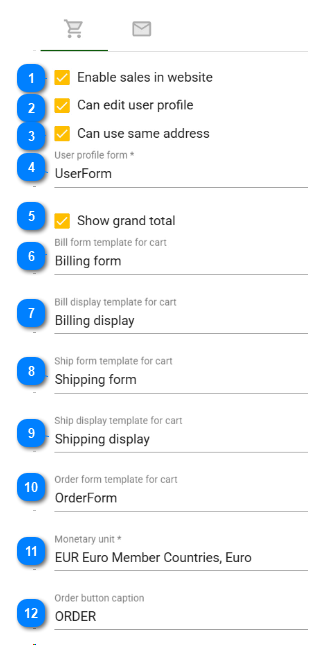
Enable sales in website If checked then items in the database can be sold from the website.
| |
|
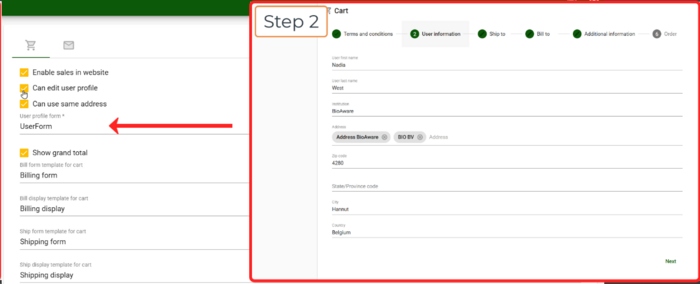
Can edit user profile If checked then the buyer is able to update his/her own profile during the checkout.
If no template is available then this step will be skipped.
| |
|
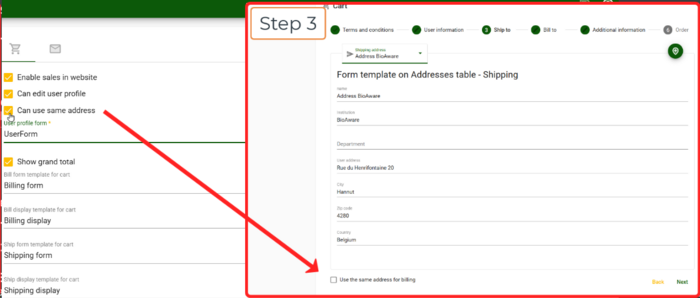
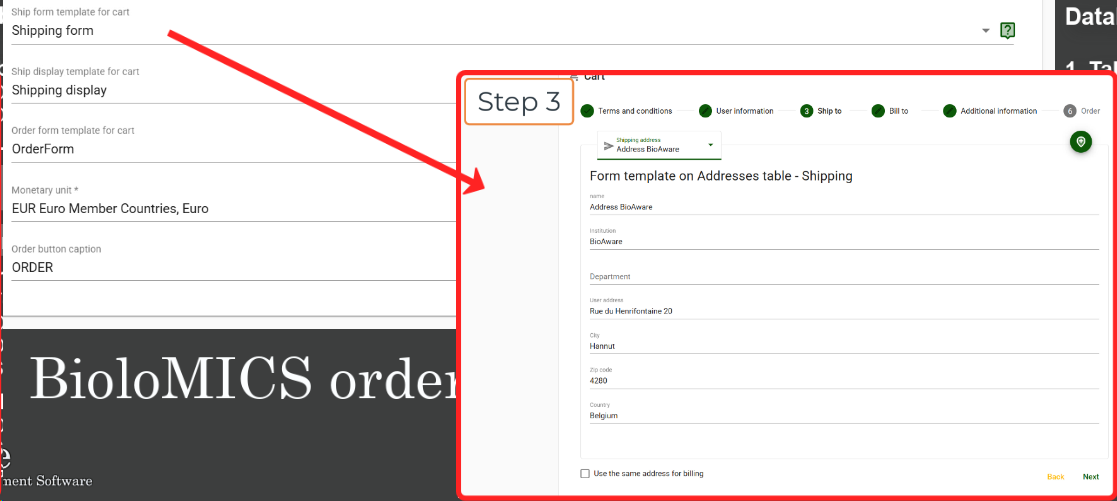
Can use same address If checked, users can use the same address for billing and shipping.
A checkbox appears at the bottom of step 3.
| |
|
When #2 "Can edit user profile" is checked, then provide the Form template based on the Userlist table.
-
When there is no Form template to select, then first create this in the Templates section (based on the Userlist table).
| |
|
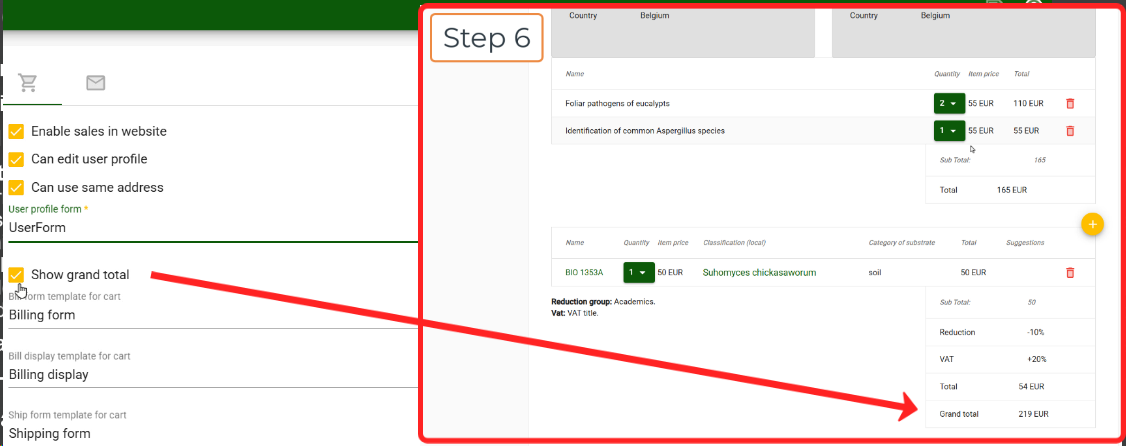
Show grand total The total price, of all ordered items in the cart, will be displayed.
| |
|
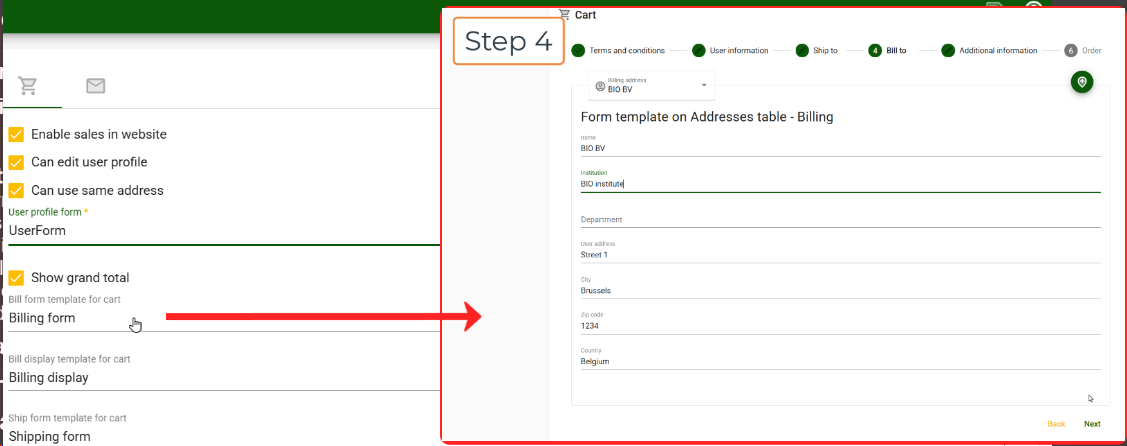
Bill form template for cart Select the form template which contains the fields for billing information.
-
If no template is available yet then first create the Form template on the Addresses table.
| |
|
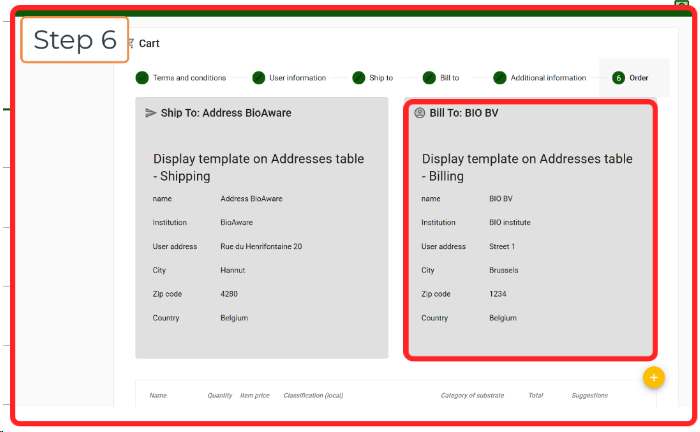
Bill display template for cart Select the display template which contains the fields for billing information.
-
If no template is available yet then first create the Display template on the Addresses table.
| |
|
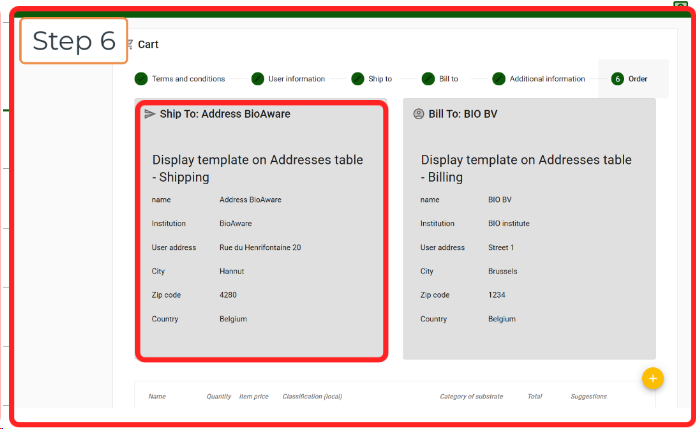
Ship form template for cart Select the form template which contains the fields for shipping information.
-
If no template is available yet then first create the Form template on the Addresses table.
| |
|
Ship display template for cart Select the display template which contains the fields for shipping information.
-
If no template is available yet then first create the Display template on the Addresses table.
| |
|
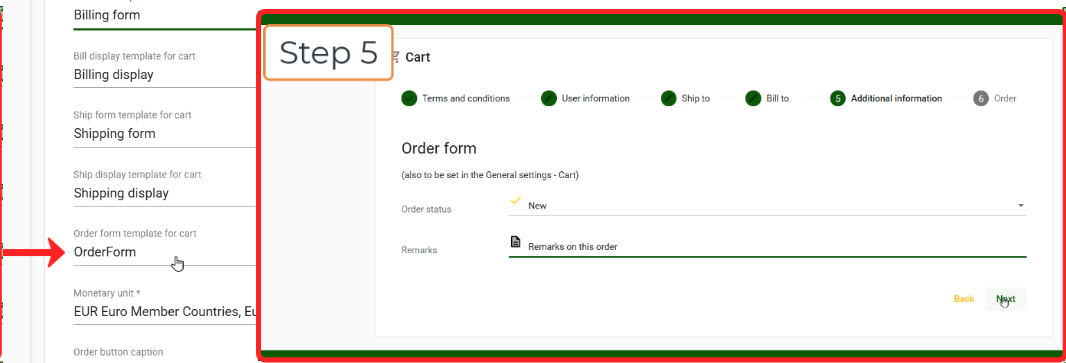
Order form template for cart In the cart checkout, a form can be integrated as an additional step (step 5) to provide extra information about the order.
-
If no template is available yet then first create the Order form template.
| |
|
Monetary unit Define the monetary unit that will be used for the website.
| |
|
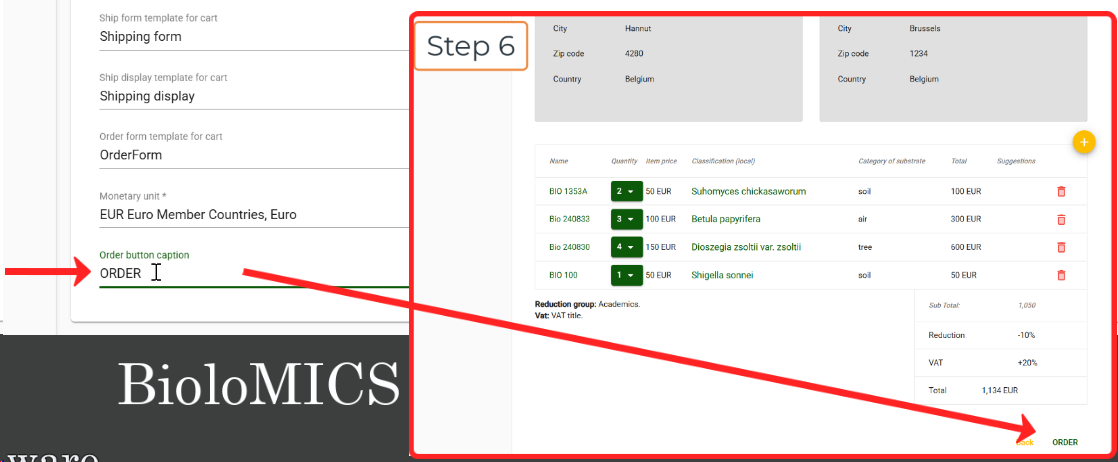
Order button caption The text that will be displayed on the button in the checkout, to complete the order.
| |
|
|
|
|